How to make a giant wedding crossword poster
For a 24 by 36 inch wedding crossword, build the puzzle in the editor and download the poster HTML. Open that file in a browser, then use the browser's Print dialog to save an Architecture D landscape PDF for your printer.
Make your giant crosswordFinished example
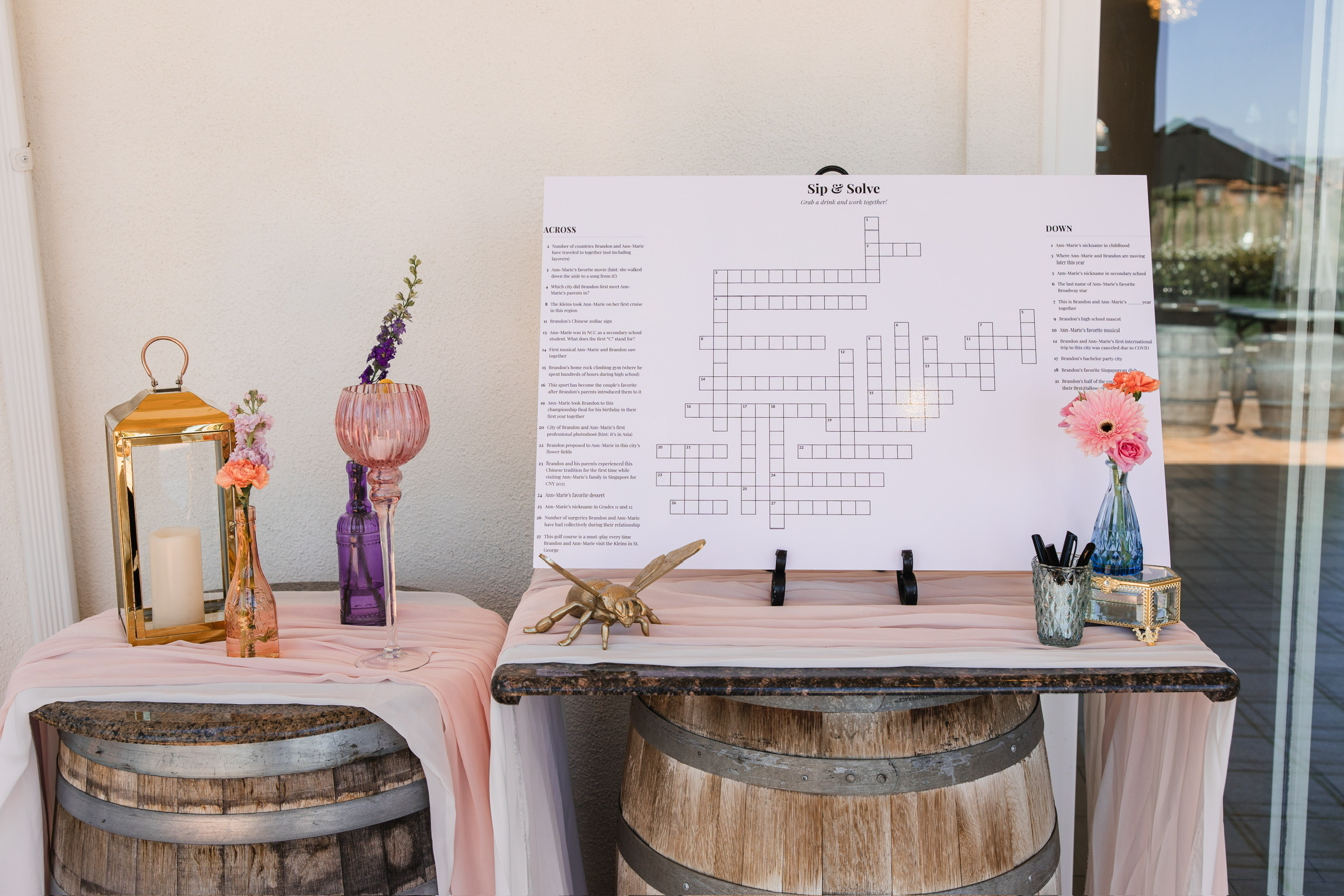
This is the 24 by 36 inch crossword we displayed at our reception. The photo shows the finished board at its actual event, not a mockup.
Materials
- A printed board
- An easel or another stable display
- Markers compatible with the surface you choose
- An answer key
Add your clues in the editor
The template button opens a Classic reception starter with fictional clues. Remove those examples before you make the final puzzle.
- Delete the sample clues one at a time, or choose Clear all clues.
- Enter an answer and its clue, then choose Add clue. For a list, open Bulk add clues and use one ANSWER | clue pair per line.
- The editor rebuilds the grid after each addition. If an answer is marked as unplaced, follow the note in the clue list. Delete it and add it again with a shorter spelling or more shared letters.
- When the clues connect, choose Try another to make a different arrangement. Use Previous and Next to compare the versions from that editing session.
- Under Layout, choose Landscape and check the preview.
Prepare the 24 by 36 inch file
Architecture D is the name many print dialogs use for 24 by 36 inch paper. Printing the poster is a separate paid service.
- Select landscape in the crossword editor.
- Download the poster HTML.
- Open the downloaded HTML file in a browser.
- Choose Print.
- Choose Architecture D and landscape in the print dialog.
- Save the print job as a PDF.
- Verify that the saved PDF is 24 by 36 inches, then upload it to your printer.
Check before ordering
If Architecture D is missing, the available paper sizes depend on your browser and print dialog. Use a supported custom 24 by 36 inch paper setting, or ask the printer whether it can use the supplied vector file.
- Confirm the PDF page measures 24 by 36 inches
- Check that landscape orientation is still selected
- Zoom in and make sure the grid lines and type stay sharp
- Read the smallest clue at the size guests will see
- Ask the printer which file and surface it accepts
Display and solve
Put the board on an easel or another stable surface where guests already gather. Keep the answer key with a friend, planner, or coordinator, and set out markers that match the printed surface.
- Leave enough room for more than one guest to stand at the board
- Include a few easy clues so people can begin without help
- Test the markers on the chosen surface before the event